


Mirage 2026 Small Studio Edition for Epson
Ab / from 141,61 €
incl. VAT
Supported Printer: Printer with A3+ Print Size like Epson Stylus Photo R2880 & R3000, Epson SureColor P6xx, P7xx, XP-15000*, P400* (*Windows only), SL-D500
Supported operating systems: Windows 10 (version 1909 or later), Windows 11, and macOS 10.15 or later.
To use the Mirage software, you need an account on the Mirage license server (license.dinax.com) and a license stored in your account that is active at the time of use.
The purchase of Mirage includes one year of FREE technical support via email and feature software updates.
At the end of the first year, you can easily extend the update period and continue to have access to all future updates. This means you will always benefit from new features, enhancements and improvements to Mirage.
- Description
- Product safety
- Lieferversion
Description
For Epson Finart printers up to A3+ print width
Supported Printer: Printer with A3+ Print Size like Epson Stylus Photo R2880 & R3000, Epson SureColor P6xx, P7xx, XP-15000*, P400* (*Windows only), SL-D500
Supported operating systems: Windows 10 (version 1909 or later), Windows 11, and macOS 10.15 or later.
To use the Mirage software, you need an account on the Mirage license server (license.dinax.com) and a license stored in your account that is active at the time of use.
Included Version
By purchasing this Mirage license, you receive the Mirage version offered at the time of purchase, including the features available for that version.
Technical Support
The purchase price includes one year of free technical support by email.
Feature Updates
During the first year, feature updates provided as part of our update program are included free of charge for your Mirage version.
These may include, for example, new features, extensions, improvements, and adaptations to supported operating systems, systems, or printer models.
Mirage Update Pass
With the Mirage Update Pass, you can extend your update period and continue to benefit from the feature updates and new Mirage versions included in the respective update program.
The Update Pass can be purchased at any time at a later date. Its term will be added directly to the existing update period. Purchasing an Update Pass at a later date therefore does not result in the loss of any remaining update period.
Legally Required Updates and Security Updates
Regardless of our paid update program, we provide the updates required to ensure the software’s conformity with the contract, including any required security updates, to the extent required by applicable law.
New Major Versions
New major Mirage versions may be included in the update program if they are released during a valid update period.
Outside of a valid update period, switching to a new Mirage major version may require a paid upgrade or an Update Pass.
System Requirements and Compatibility
Before purchasing, please check the system requirements, supported operating systems, and supported printer models specified for the respective Mirage version.
Compatibility may change due to future changes to operating systems, drivers, or other technical components.
You may also like…
-
-
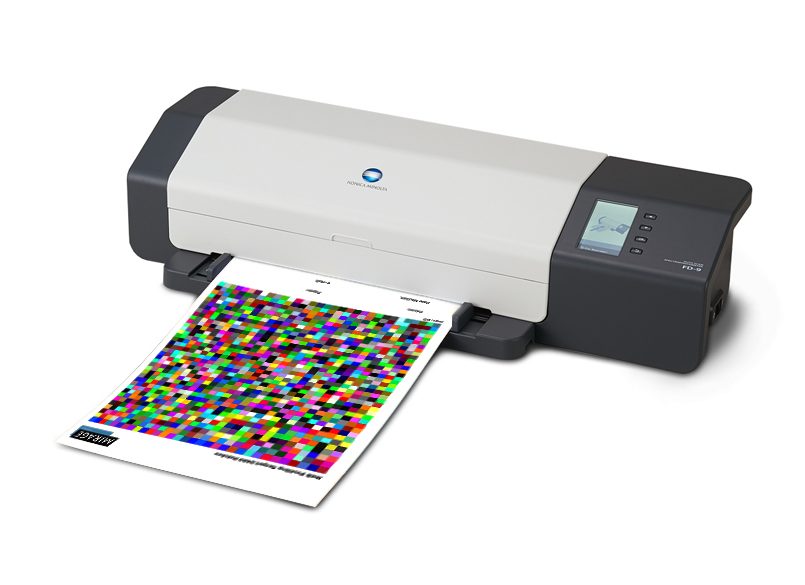 ICC Profiling -Service and Workshops
Professional ICC-Profile with 2433 measurement patches
Ab / from 71,34 €incl. VAT
Select options This product has multiple variants. The options may be chosen on the product page -
 Mirage Extensions
Mirage Lightroom Extension
47,54 €incl. VAT
Select options This product has multiple variants. The options may be chosen on the product page

